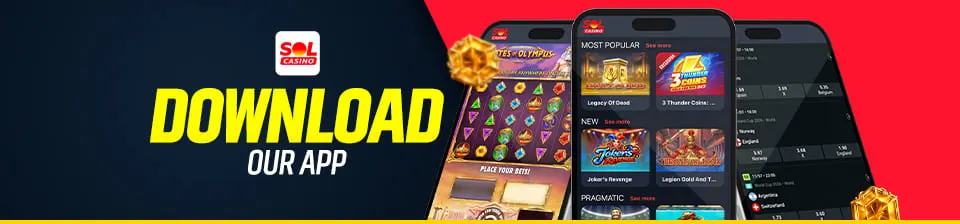
Download the Solcasino app and play wherever you want
Installing our Solcasino app is quick and easy. To play at the online casino on your mobile device, we recommend downloading it only from official app stores by following these steps:
Open the App Store on iOS or Google Play on Android.
Search for the “Solcasino” casino app.
Tap “Get,” “Install,” or “Download.”
Open the app and log in or create a new account.
The download is free on both platforms, and you can complete the installation in just a few minutes.
Mobile casino games and sports betting, always at your fingertips
With our mobile casino games, you can access the game catalog and sports betting markets from a single device, without switching apps or accounts.
Slots, table games, and live casino on your phone
In our casino app, you’ll find over 10,000 titles optimized for your phone’s screen. You can choose from online slots at Solcasino, blackjack, roulette, and other table games. We also offer live roulette available 24 hours a day. The interface offers clear navigation and a high-quality gaming experience comparable to the desktop version.
Sports betting in the same app
We’ve also integrated our sports betting into the same mobile casino app, so you don’t need to download anything else—everything is managed in a single app. We offer our users more than 3,600 markets, up-to-date odds, and live events from various sports and competitions, as well as the ability to view available matches, place bets, and track their status.
Why choose the Solcasino app?
We’ve designed the app to give you faster and more convenient access to our services. With a single account, you can check your balance, review your history, manage your profile, and use the available payment methods right in the casino app. You can also make deposits and request withdrawals without leaving the app, using secure processes designed to ensure safe transactions.
Downloading and using the app are free, although bets placed involve real money. We operate in Spain under the general licenses for “other games” (GO/2018/032) and “betting” (GO/2018/033), under the supervision of the General Directorate for the Regulation of Gambling. We only allow access to individuals 18 years of age or older and promote responsible participation. To that end, we provide tools to set limits and maintain control.
Frequently Asked Questions
Yes, the Solcasino app is completely free: you pay nothing to install it, use it, or for any subscriptions or hidden fees. You can access your account and balance through the app, just as you would on the website. Downloading it costs you nothing, aside from whatever you choose to wager.
Yes, our app works just as well on a tablet as it does on your phone, with an interface that adapts to the screen. You keep the same account, including deposits, withdrawals, and profile management. Play from whichever device you prefer—the experience remains the same.
Yes, you need an account to play on our app—the same one you use on the website if you already have one. If you’re new, you can sign up right from the app, as long as you’re at least 18 years old. That way, your balance and history are always with you, on any device.
The Solcasino app is available directly on Google Play—no need to install an APK. For iOS, you can find it just as easily in the App Store. Unofficial versions with similar names are circulating, so we recommend always installing from the official app stores. This way, you’ll download the real app without any extra steps or unnecessary risks.
If the app isn’t working properly, the issue is usually resolved by checking for an update in the app store and restarting the app or your phone. Also check your internet connection—that’s the most common cause. If the problem persists, contact us through the help section and we’ll work with you to resolve it.
The safest way is to always download it from the official links on solcasino.es, which take you directly to our official listing. From there, we’ll take you directly to our official listing on Google Play or the App Store, with no intermediate steps. There are apps and websites with very similar names that are not affiliated with us. Always starting from our website is the best way to protect yourself.